
Don’t Buy a Tablet Before Checking These 7 Things
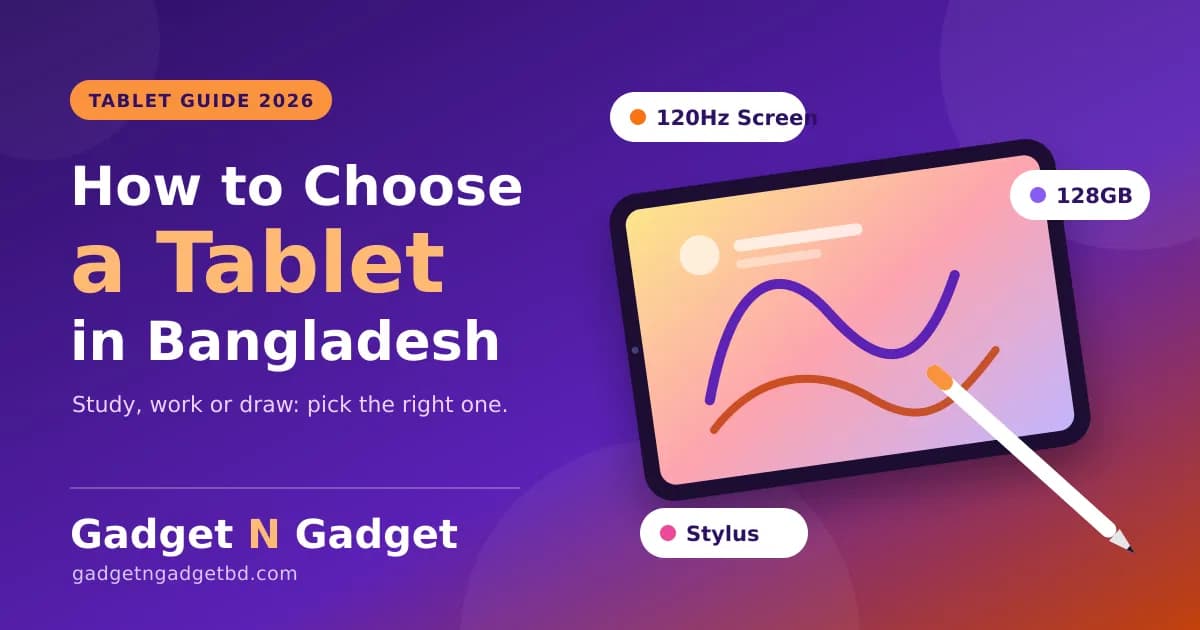
How to Choose a Tablet in Bangladesh: A Simple Guide for Students, Work and Drawing
A tablet can replace a notebook, a second screen, a drawing pad and a Netflix machine, but only if you buy the right one. Many people pick by brand or price alone, then find out the screen is dull, the storage is full in three months, or their stylus does not work.
This guide shows you what to check, in the order that matters.
Step 1: Decide Why You Need a Tablet
| Your main useWhat to prioritize | |
| Online classes and notes | Stylus support, good battery, 4GB+ RAM |
| Streaming and reading | Bright, sharp screen and good speakers |
| Office and remote work | Keyboard support, 8GB RAM, fast storage |
| Drawing and design | Pressure-sensitive stylus, fast screen, 128GB+ storage |
| Kids and family use | Durable body, parental controls, affordable price |
If you are unsure, think about what you will do every day, not once a month.
Step 2: iPad or Android Tablet?
Apple iPad
- Smooth performance and long software support
- Large library of tablet-optimized apps, especially for drawing and note-taking
- Strong resale value
- Higher starting price
Android tablet
- More choices at lower prices
- Flexible file handling and customization
- Quality varies a lot between brands, so check specs carefully
Browse the full Apple range and our Tablet & Accessories collection to compare both sides.
Step 3: The Screen Is the Product
You will look at the screen for hours, so give it the most attention.
- Size: 8-9 inches is easy to carry. 10-11 inches suits study and work. 12 inches and above feels like a laptop.
- Resolution: Full HD or higher is the minimum worth buying for reading and video.
- Panel type: OLED gives deep blacks and rich colors, while a good LCD/IPS panel is cheaper and still fine for study.
- Refresh rate: 90Hz or 120Hz feels smoother when scrolling and drawing.
- Brightness: Important if you use it near a window or outdoors.
Tip: Open a white page and a dark video in the shop. Uneven brightness or washed-out color is easy to spot.
Step 4: RAM and Storage
- 4GB RAM: Fine for classes, reading and video.
- 6-8GB RAM: Better for multitasking, split screen and light editing.
- 64GB storage: Tight. It fills fast with apps and offline videos.
- 128GB storage: A comfortable starting point for most people.
- 256GB or more: Good for drawing projects, videos and games.
Check if the tablet has a microSD slot. If it does not, buy more storage upfront, because you cannot add it later.
Step 5: Processor, Battery and Charging
- A newer mid-range processor is enough for study and streaming.
- Choose a stronger one only if you edit video, draw in large files or play heavy games.
- Look for a battery that lasts a full day of mixed use, and fast charging if you are always on the go.
Keep your battery healthy with the habits in our phone battery care and charging tips, because the same rules apply to tablets.
Step 6: Stylus, Keyboard and Accessories
Accessories turn a tablet into a work tool.
- Stylus: Check which stylus your tablet supports before you buy. Not every tablet works with every pen.
- Keyboard cover: Helpful for assignments, emails and office work.
- Case and screen protector: A cheap way to protect an expensive screen.
- Charger and cable: Use a good-quality one for safe, fast charging.
If you only need a simple pen for tapping and light notes, a universal capacitive stylus like the ACEFAST V2 Universal Capacitive Stylus Pen is an affordable add-on. For serious drawing, choose a tablet with its own pressure-sensitive pen support. Find more in Gadgets & Accessories.
Step 7: Wi-Fi Only or SIM Support?
- Wi-Fi only: Cheaper and enough if you mostly use it at home, campus or office.
- SIM / cellular: Useful for travel, field work or if you do not have Wi-Fi everywhere.
Remember that you can also share your phone’s hotspot with a Wi-Fi-only tablet. A good home network helps too. See our Wi-Fi router buying guide for easy tips.
Step 8: Software Updates and Support
A tablet is a long-term device. Ask:
- How many years of updates will it get?
- Is there local warranty and a service point?
- Are the apps you need available in a tablet-friendly version?
An official warranty and a trusted seller matter even more than a small price difference.
Step 9: Tablet or Laptop?
- Tablet: Lighter, more portable, great for notes, reading, streaming and drawing.
- Laptop: Better for long typing, coding, heavy software and file management.
If you do serious office or programming work, a laptop may be the smarter buy. Compare options in our Laptops collection and read our laptop buying guide.
Step 10: Budget, Offers and EMI
Set your budget first, then compare two or three tablets in that range using our compare tool. Check current offers before you pay. EMI is available for eligible credit card holders, and the full terms are on our EMI & Payment Policy page.
Quick Tablet Checklist
- Clear main use decided
- Full HD or better screen
- 128GB storage or microSD slot
- 4GB RAM minimum, more if you multitask
- Stylus and keyboard compatibility checked
- Battery that lasts a full day
- Official warranty and invoice
- Software update promise checked
Common Mistakes to Avoid
- Buying 64GB and running out of space in months.
- Assuming any stylus works with any tablet.
- Choosing by screen size alone. Panel quality matters just as much.
- Paying for cellular you will never use.
- Ignoring warranty and service support.
Frequently Asked Questions
Is a tablet good for online classes?
Yes. Add a stylus for notes and a keyboard for assignments.
How much storage do I need?
128GB suits most people. Choose more for drawing or video work.
Do I need a SIM-enabled tablet?
Only if you often work away from Wi-Fi. Otherwise Wi-Fi only is cheaper.
Can a tablet replace my laptop?
For notes, reading and light work, yes. For heavy typing, coding or professional software, a laptop is better.
Is an iPad worth the price?
Many users say yes for smooth performance, long updates and resale value, but a good Android tablet can be the better value for study and streaming.
Final Words
The best tablet is the one that matches how you actually use it. Pick a good screen, enough storage, a stylus or keyboard that works, and a seller with proper warranty.
Looking for your next tablet? Explore Tablet & Accessories, see the Apple range, and grab the latest offers.
Publish korar age:
- Product link: Homepage e dekha Xiaomi Pad 7 Pro-r link (product/xiaomi-pad-7-pro) Step 2 ba final section e boshate paren, jodi stock e thake.
- Internal link check: Router ar laptop blog er link duto tokhon-i kaj korbe jokhon oi duto post publish hobe. Slug thik rakhun.
- Duplicate check: Blog list e “tablet” search kore dekhun ager-i kono post ache kina.
- Dam hardcode korini. Product page e dam dekhabe, tai blog purono hobe na.